How to Install the Deeper Signals AI Skills in Claude


Installing the Deeper Signals Claude skills takes about two minutes. You download one file that contains all four skills, add them to Claude under Customize > Skills, and they switch on automatically. From that point, Claude can build the finished document whenever you ask for it in a chat.
This guide walks through the whole process, with screenshots for each step.
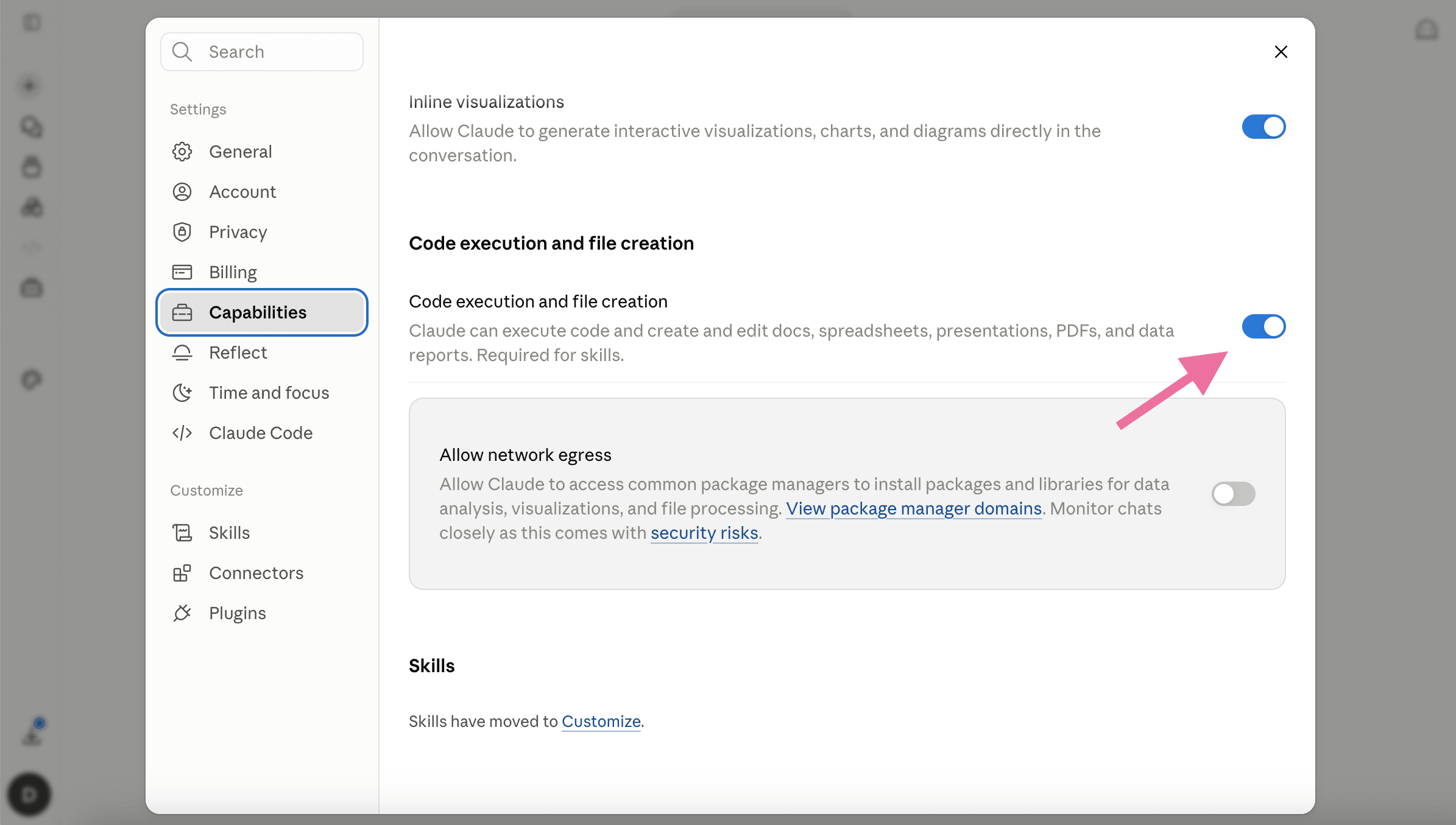
Before you start: turn on code execution. Skills run code, so Claude needs one setting enabled first. Go to Settings > Capabilities and switch on Code execution and file creation. Without it, your skill will not run and will appear greyed out in the list. On Team and Enterprise plans, an organization owner enables this once for everyone.
Step 1: Download the skills
Press the Download button and grab the toolbox. It arrives as a single ZIP file containing all four skills. Unzip it, and you will see a separate folder for each skill.
Step 2: Open Customize > Skills
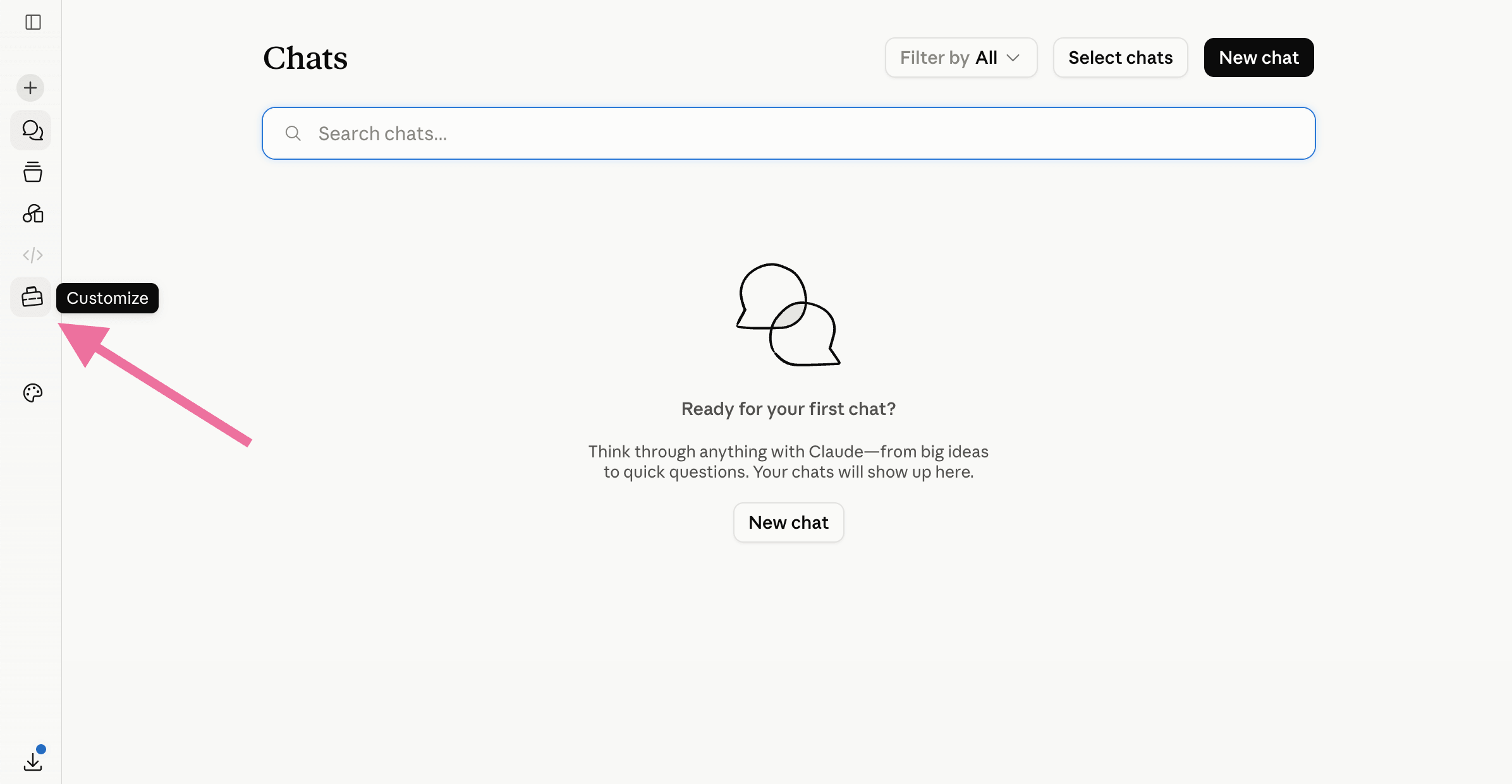
In the Claude app, on web or desktop, open the left sidebar and click Customize. Then click Skills. This is where all of your skills live, including any built-in ones from Anthropic.

Step 3: Upload the skills
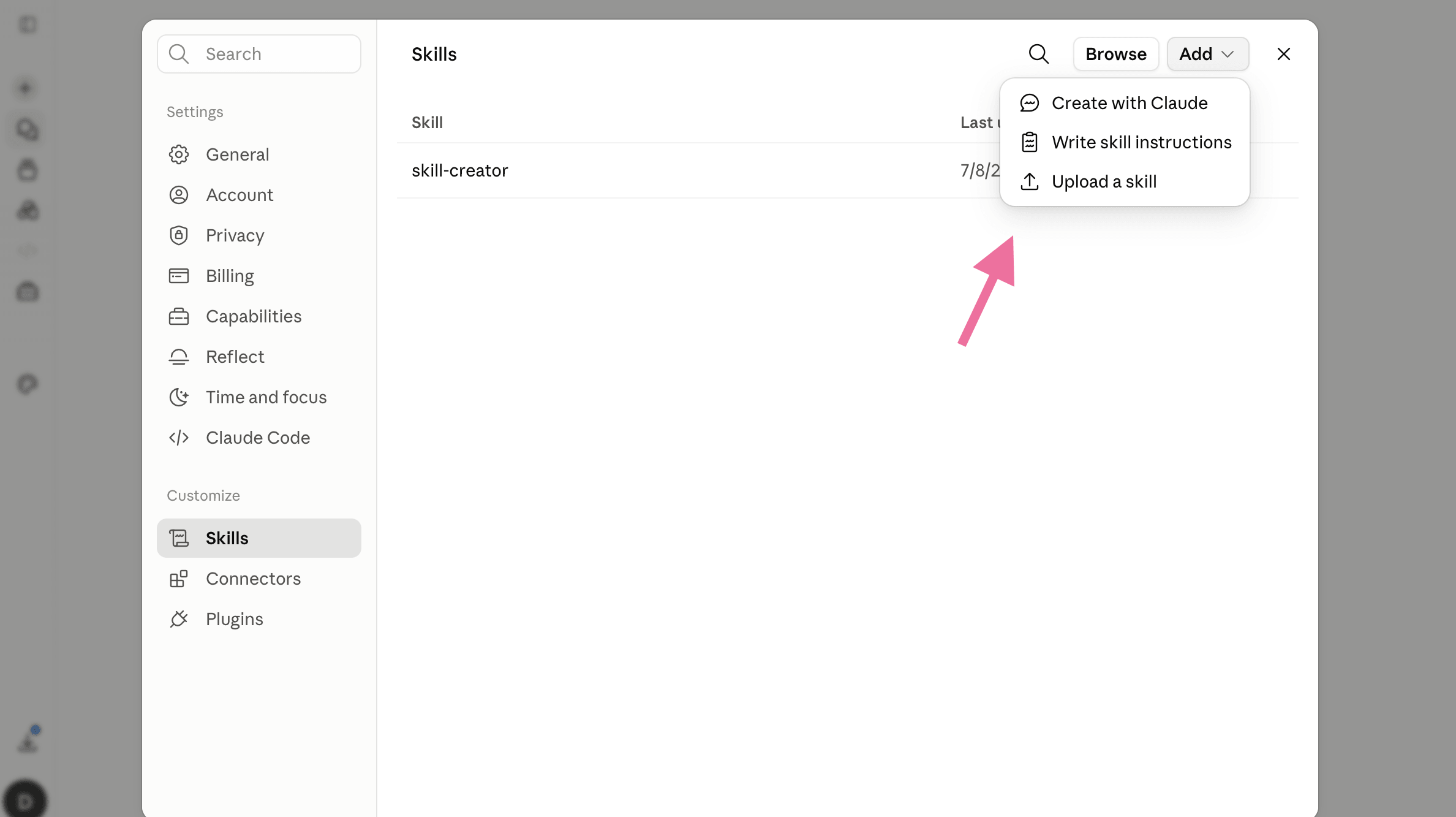
Click Add, then choose Upload a skill, and select the first skill's folder. Claude reads the skill and shows you a short summary of what it does. Repeat for each of the four folders, so all four skills are added.
Each skill appears in your list already switched on and ready to use. If you ever want to disable one, open it and toggle it off. Custom skills you upload stay private to your own account. On Team or Enterprise plans, an owner can later share approved skills across the organization.
Step 4: Use the skill in any chat
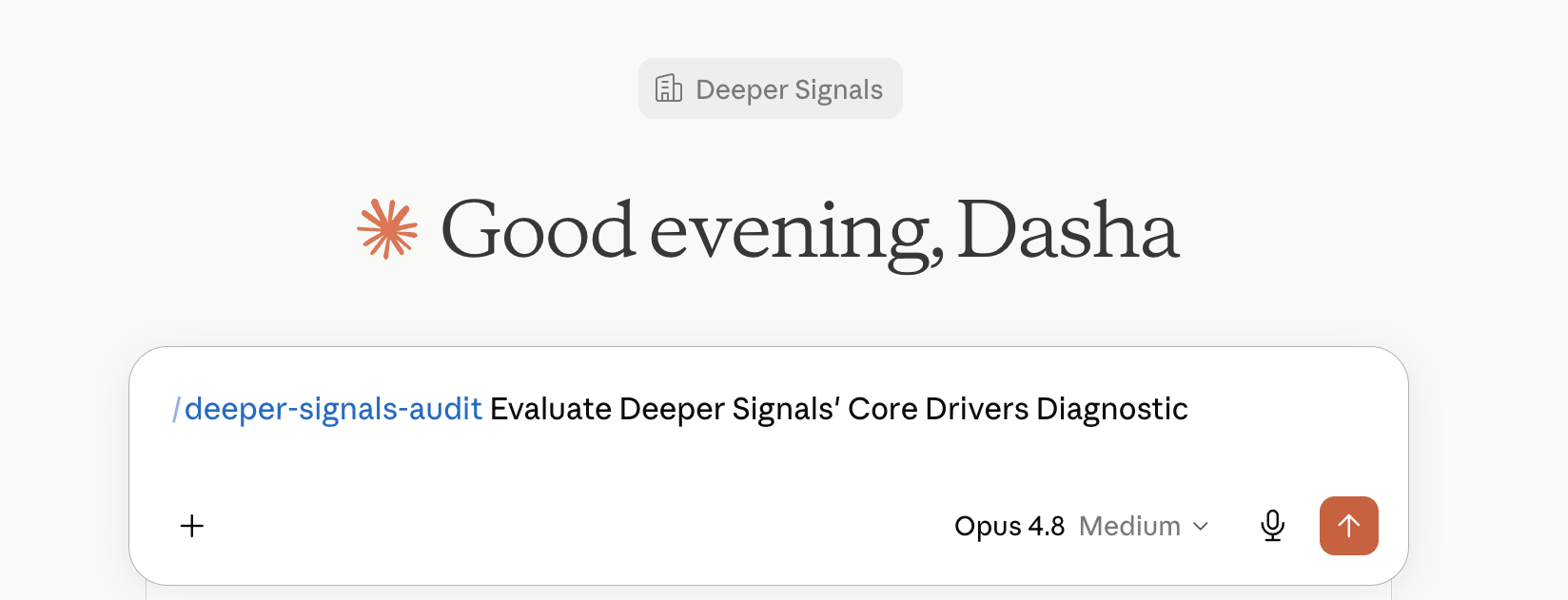
Open a new conversation and describe what you need. You can invoke a skill by name, or simply make a request that matches what one of the skills does, and Claude picks it up automatically. Share your inputs, such as an assessment report, and Claude generates the final document.
Getting the most from the skills
Each Deeper Signals skill turns everyday assessment work into a defensible document. One skill drafts the business case, another runs the evidence review, another builds the coaching plan, and another produces the leadership write-up. Every output is a professional document, with ranges instead of false precision and sources cited.
Start with one skill and one real task. Seeing a single finished document is the fastest way to understand what the rest can do.
Ready when you are. HR practitioners building more defensible assessment work are already using these skills. Get the free skills.
For more detailed installation guidance, refer to Anthropic’s official guide to using Claude Skills.
FAQ
Do I need a paid Claude plan?
Skills are available across plans, but they depend on code execution being enabled. On Free, Pro, and Max, you turn this on yourself under Settings > Capabilities.
Why is my skill greyed out?
Almost always because code execution is off. Enable "Code execution and file creation" in Settings, or ask your organization owner to enable it for Team and Enterprise accounts.
Does the skill work in the browser, or only the desktop app?
It works in the Claude app on both web and desktop, as long as code execution is enabled.
What happens to the data I upload?
Your inputs are processed inside your own Claude session to generate the document. For details on data handling, follow your organization's Claude data policy.
Can I edit the skill later?
Yes. Open the skill in your list to adjust it, or upload an updated version and switch off the old one.